Face Age Slider AI Online
Use a face age slider AI tool to choose a precise target age from 1 to 99, preview an older or younger portrait, and compare the direction before you generate a personal image. The slider is the main control, so you can test ages without guessing from vague filter labels.
Upload Your Photo
Drag & drop or click to upload
Supports: JPG, PNG, BMP · Max 10MB · Front-facing portrait recommended
Before / Age-Changed Face
Choose an age on the slider to preview how the direction changes.
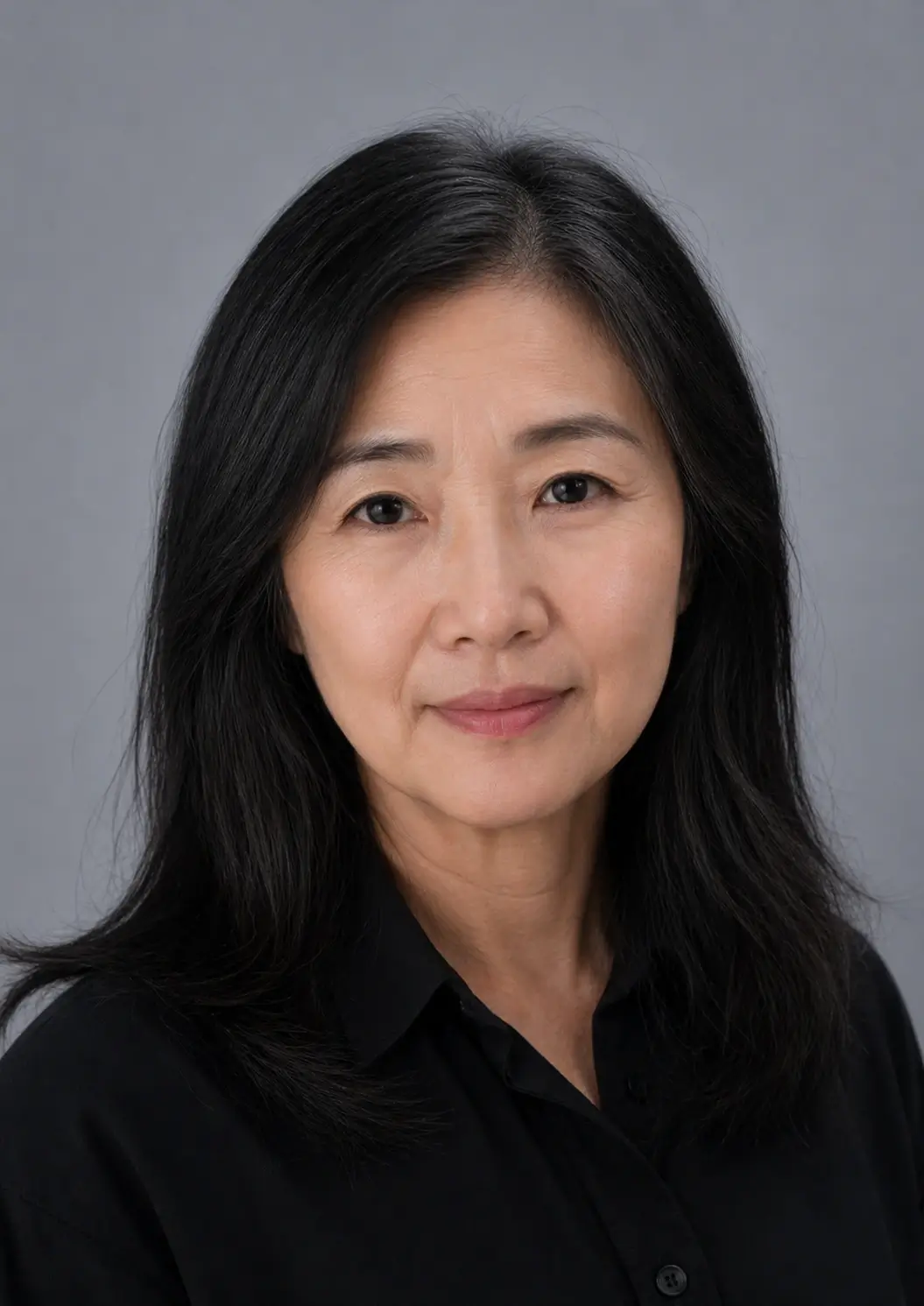
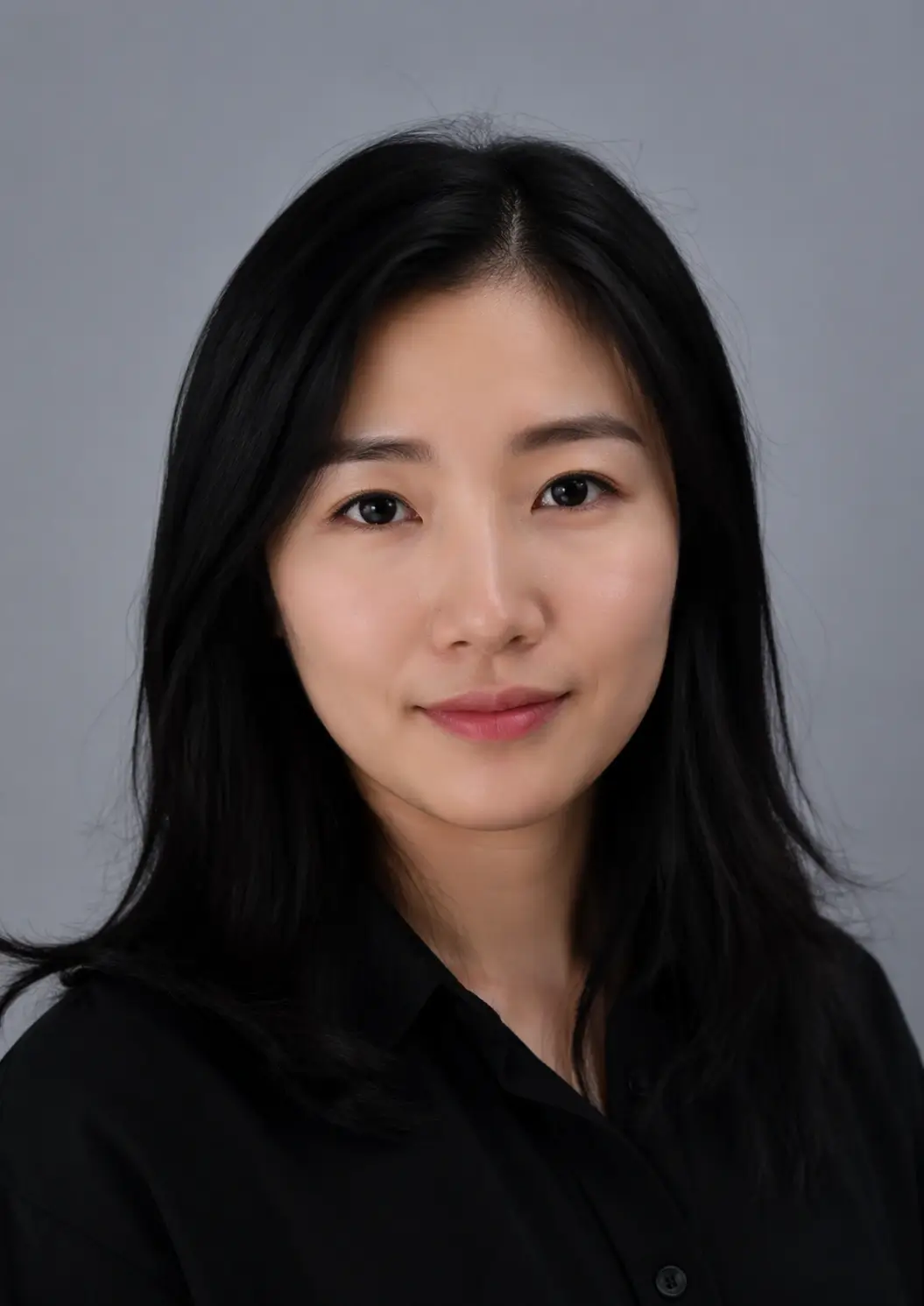
How to Use a Face Age Slider AI
This page is built around one clear control: a numeric target-age slider. Upload a portrait, test the age direction, generate only when the setting fits your idea, and review the before-and-after output.
Upload one clear portrait
Use a sharp single-person JPG, PNG, WebP, or BMP image under 10MB. A visible face and even lighting give the age edit more useful detail.
Set the exact target age
Drag the 1–99 slider or use keyboard arrows. Lower values create a younger direction, higher values create an older direction, and a middle value keeps the change subtle.
Compare before and after
Generate the personal result, move the comparison divider, and download the watermark-free image when the age direction looks right.
Choose the Right Age-Change Direction
The same age changer AI workflow supports two directions. Pick the target age based on the visual concept you want to explore, not as a promise about real aging.
Make a photo older
Set a higher target age to explore mature skin texture, hair tone, facial volume, and a future-self style preview.
Make a photo younger
Set a lower target age to explore a de-aged or refreshed direction. For a focused younger workflow, use De-Age Photo Online.
Keep the change moderate
A smaller age gap usually preserves more identity and looks more coherent than an extreme jump across many life stages.
What an AI Age Changer Can Change
The model edits visible age cues in the uploaded portrait while trying to keep the face recognizable. It creates a visual simulation, not a measurement of real age.
Skin texture
Older targets may add fine lines, deeper smile lines, forehead texture, or mature skin detail. Younger targets may soften some of those cues.
Hair and tone
The result may change grey-hair cues, contrast, or overall facial tone. Hats, shadows, and strong filters can make this less stable.
Face shape and volume
Cheeks, jawline, and facial fullness may shift subtly. Extreme targets are more likely to look stylized or inconsistent.
Choose an Age Range with the Slider
Exact numbers make it easier to control the strength of an age edit. Start with a moderate target, then move farther only when you want a more dramatic concept.
| Slider range | Best for | What to expect |
|---|---|---|
| 1–10 | Strong younger direction | A creative younger-looking result that may change facial fullness, skin texture, and hair cues more noticeably. |
| 25–35 | Subtle reference-age edit | A restrained setting for testing the slider and keeping more of the original expression. |
| 45–65 | Balanced older preview | A visible older direction that usually keeps more identity cues than an extreme setting. |
| 70–99 | Dramatic creative concept | A stronger old-age filter effect for storytelling or social content, not a guaranteed future prediction. |
Photo Tips for a Better Age Changer Result
Input quality affects how well the age changer AI can preserve the face while changing age-related cues. Use a front-facing portrait with even light, visible eyes, and a neutral expression when possible. Avoid sunglasses, heavy filters, motion blur, and extreme angles because the model has fewer stable facial cues to follow. If you compare several target ages, keep the same source photo and change only the slider so the results are easier to judge. A small, sharp image usually gives a more coherent comparison than a heavily compressed upload.
When an Age Changer AI Tool Fits
Use the tool for reversible visual exploration, not for proving someone's age or predicting what a person will look like in real life.
Future-self curiosity
Compare older target ages from the same portrait and explore a future-self concept in a few clicks.
Younger or older photo concepts
Prepare a social post, family project, character idea, or visual story that needs an age variation.
Before-and-after testing
Try a target age, inspect the divider preview, and adjust the direction before committing to a final image.
Accuracy, Privacy, and Limits
An age changer AI can create a convincing older or younger portrait, but it cannot know a person's future or past face. Genetics, health, lifestyle, sun exposure, hairstyle, weight, lighting, and many other factors are not available from one image.
Upload only photos you have the right and consent to edit. Do not use an age-changed image for age verification, identity fraud, impersonation, harassment, or a misleading claim about a real person. Review the Privacy Policy before uploading a sensitive portrait.
Read the Privacy PolicyFace Age Slider AI FAQ
Try the Face Age Slider AI
Upload a portrait, choose a number, and compare an older or younger target-age preview in your browser.