How to Make a Photo Look Older Online
The fastest way to make a photo look older is to use an AI age filter with a clear portrait, a realistic target age, and a before-and-after review. This guide shows the exact workflow, the photo choices that matter, and how to avoid fake-looking old age results.
Quick Answer
To make a photo look older online, upload a single clear face photo, choose a target age that is older than the current portrait, generate an AI aging result, then compare whether the face still looks recognizable. Moderate changes such as 10 to 30 years usually look more natural than extreme jumps. If the first result looks artificial, try a better-lit portrait or a smaller age increase.
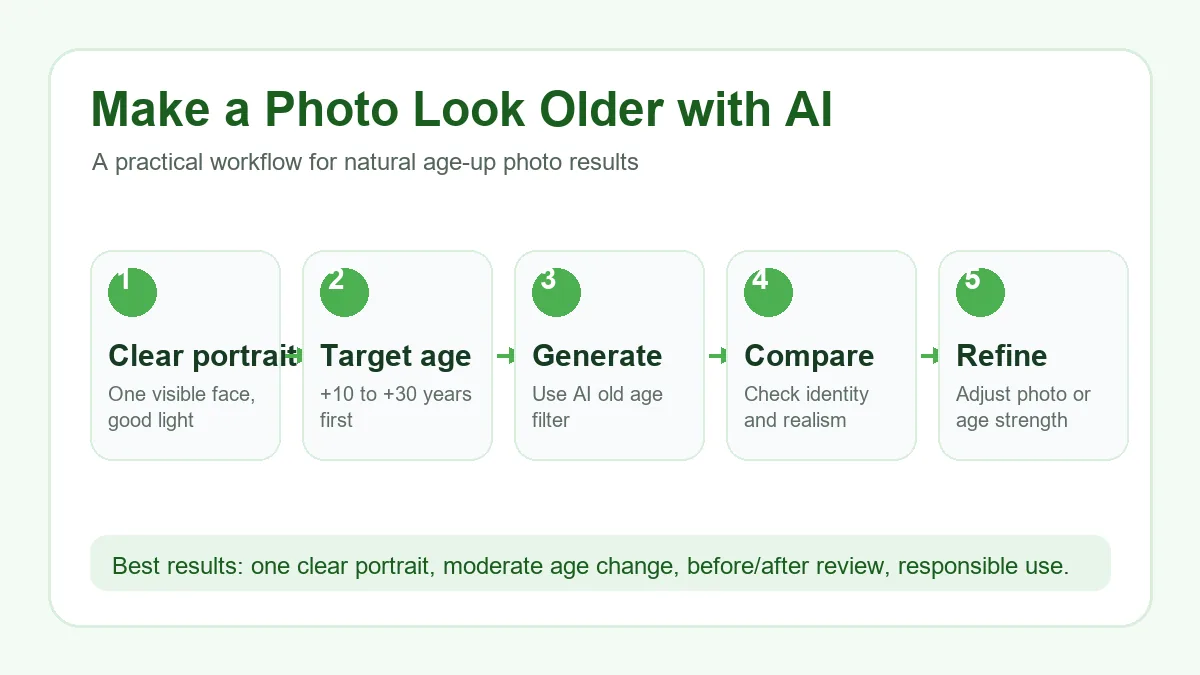
6 Steps to Make a Photo Look Older
Start with one clear portrait
Use a photo where one face is visible, in focus, and large enough in the frame. Front-facing or slightly angled portraits with even lighting give the AI more identity detail to preserve while it adds age-related changes.
Avoid inputs that confuse the age filter
Heavy sunglasses, masks, deep shadows, strong beauty filters, low resolution, and group photos can make the older result unstable. If the source photo hides the eyes, jaw, or skin texture, the model has to guess more.
Choose a believable target age
A small increase creates a subtle future-self preview. A larger increase creates a stronger old age filter effect. For a natural first try, choose a target age about 10 to 30 years older instead of jumping directly to a very old result.
Generate and compare before and after
After generation, compare the original and older portrait side by side. Look for whether the main facial structure, expression, and recognizable features remain consistent while the visible age cues change.
Refine if the result looks fake
If the AI aging photo looks over-processed, try a lower target age, crop the face more clearly, or upload a photo with softer lighting. A different input often improves realism more than repeating the same settings.
Download and use it responsibly
Use older-looking results for personal curiosity, creative concepts, social posts, or character references. Do not use AI-aged portraits for identity fraud, harassment, age verification, or misleading claims about a real person.
Which Photos Work Best?
AI can age many portraits, but the input photo still controls how believable the final image feels. Use this table before uploading.
| Photo type | Likely result | Recommendation |
|---|---|---|
| Clear front-facing portrait | Most stable identity and age details | Best choice for a natural old-age filter result. |
| Side angle or dramatic lighting | Can work, but the AI may change the face more | Try a moderate target age and compare carefully. |
| Low-resolution or blurry image | Older result may look soft or distorted | Use a sharper upload before generating. |
| Group photo or covered face | Unstable results and possible wrong face selection | Crop to one visible face first. |
Pick the Right Aging Strength
The phrase “make photo look older” can mean a subtle future version or a dramatic old-person filter. Choose the setting based on the job.
+10 years
Best for a believable future-self preview. The result should stay close to the original and show light maturity.
+20 to +30 years
Best for a clear AI aging photo that still feels recognizable. This range is useful for social comparisons and creative portraits.
+40 years or more
Best for dramatic character concepts or old age filter effects. Expect stronger wrinkles, hair changes, and more creative interpretation.
How to Judge Whether the Older Photo Looks Natural
A good age-up photo should not only look older. It should still look like the same person under a believable age transformation.
Accuracy, Privacy, and Limits
An AI old age filter creates a simulation, not a scientific prediction. Real aging depends on genetics, health, sun exposure, hairstyle, weight changes, camera quality, and many life factors that one photo cannot reveal.
Upload only photos you have the right and consent to edit. On AI Age Filter, generated results use credits and photos are processed according to the Privacy Policy. Treat AI-aged portraits as creative images, not official records or identity evidence.
Related AI Age Tools
Make Photo Look Older FAQ
Ready to Make Your Photo Look Older?
Use the dedicated AI old age tool to upload a portrait, choose a target age, and download a watermark-free older-looking result.
Try Make Me Older AI